How Beacon Safe keeps you covered

Three steps to set up. Four phases of escalation if you go silent. Email, SMS, and voice alerts to the people who care — delivered from our servers, not your phone.

Three steps to safer days

1

Set Your Schedule

Pick a check-in interval that matches your routine. Most people choose 24 hours (once daily) but you can set anything from 12 hours (twice daily) to 72 hours (every 3 days).

Choose a preferred check-in time — Morning (8 AM), Afternoon (1 PM), or Evening (7 PM) presets, or any custom time — so reminders arrive when you're awake. Add up to 3 emergency contacts on Free, or 10 on Plus. Set it up once; it runs continuously after that.
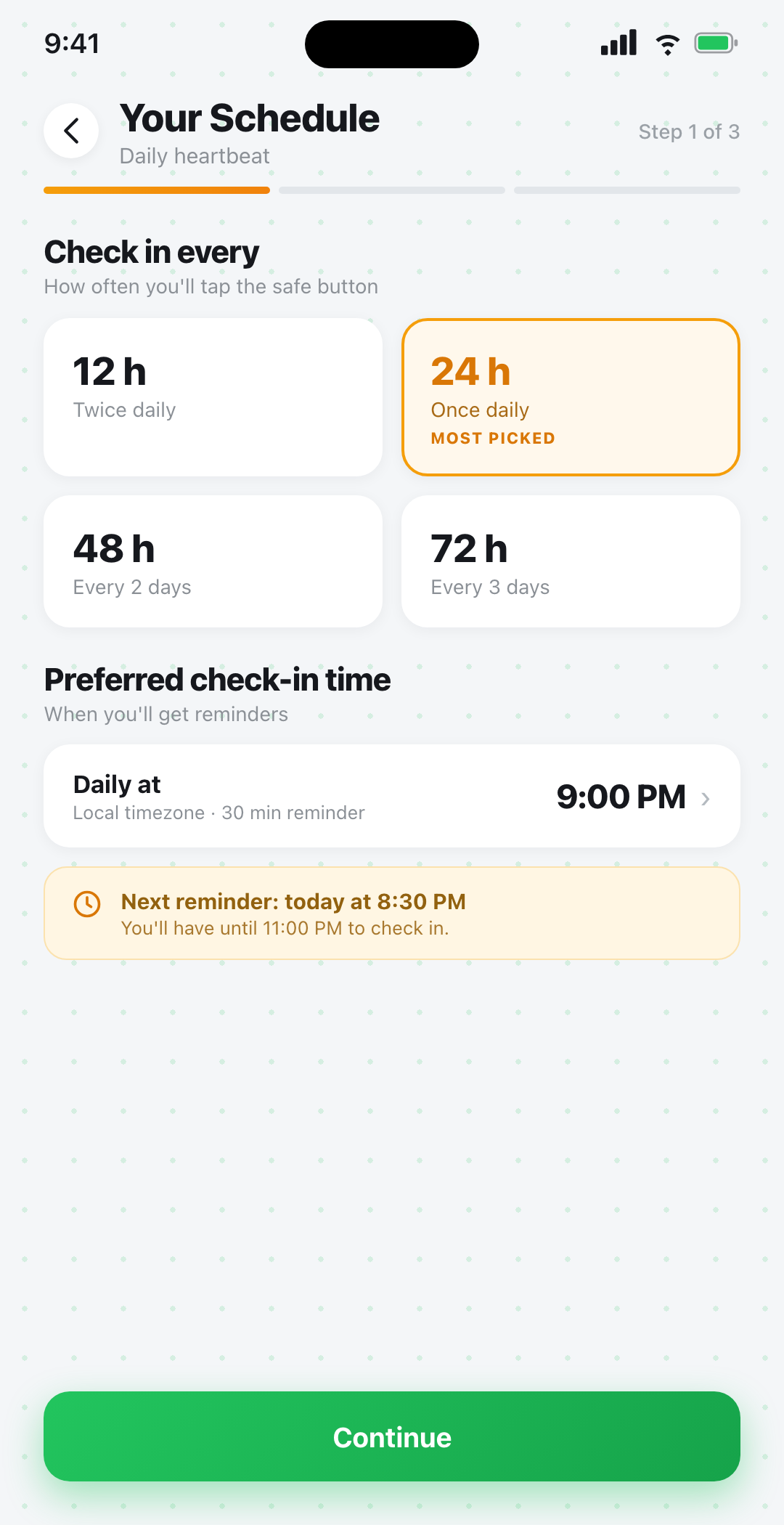
Beacon Safe schedule setup screen showing 12, 24, 48, and 72-hour check-in interval options with preferred check-in time picker
2

Live Your Life

Go about your day. Beacon Safe sends you gentle push reminders before your deadline — usually 30 minutes and again at 5 minutes — so you don't accidentally miss a check-in.

When you're safe, tap the big amber check-in button on the home screen. Your timer resets and your contacts stay quiet. Streak tracking helps you build a habit.
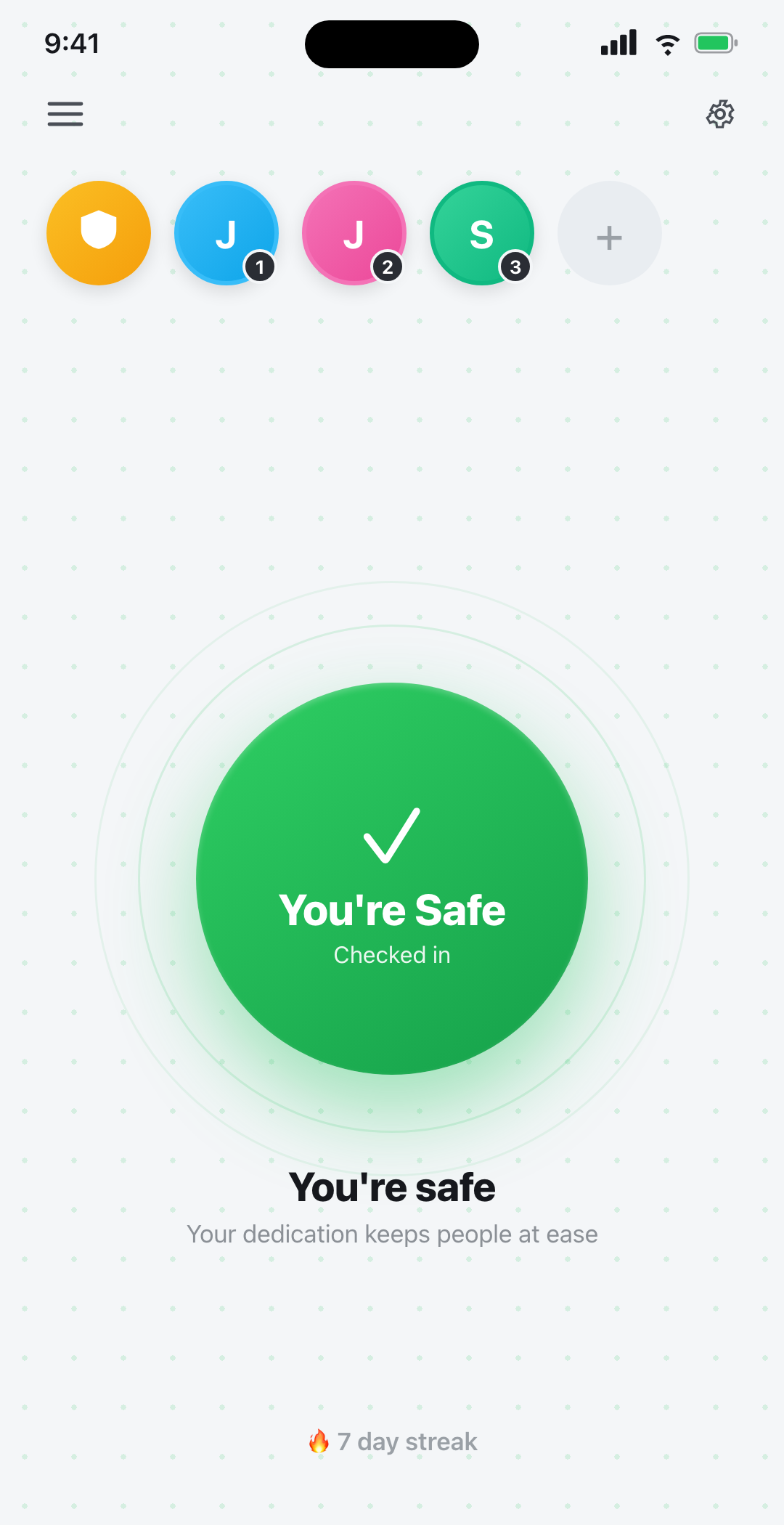
Beacon Safe home screen with daily check-in button and contact bubbles
3

We Alert Your People

If you don't check in by the deadline, Beacon Safe begins escalating. Your trusted contacts hear from us through email, SMS, and voice calls in a deliberate, four-phase sequence.

Each contact gets clear response options — confirm you're safe, acknowledge, "checking on them," or "couldn't reach." All channels stay in sync, so resolving on one resolves everywhere.
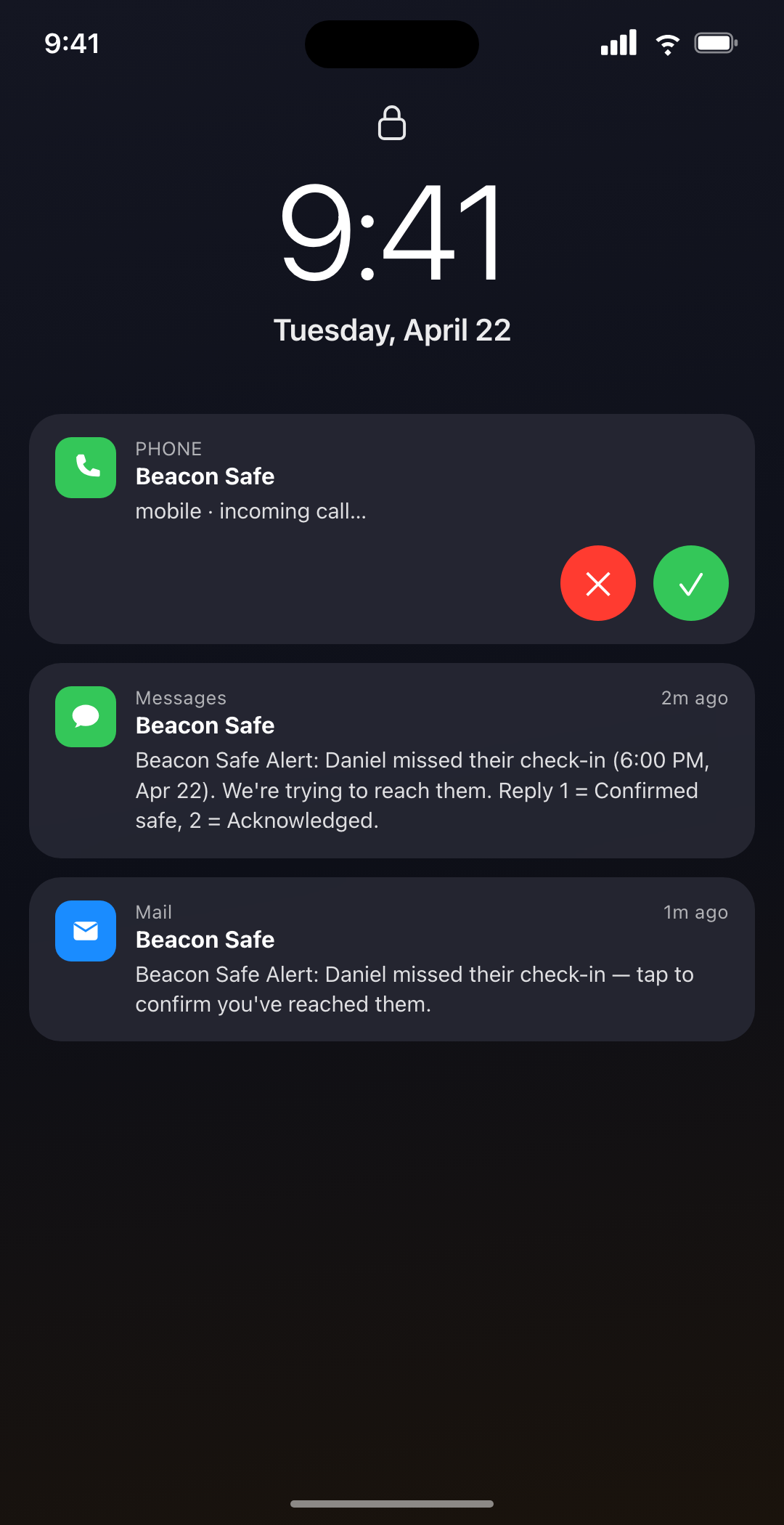
Contact's lock screen showing Beacon Safe alert via SMS, email, and incoming voice call

What happens when you miss a check-in

Before Phase 1 Grace window — up to 2 hours

Safety Check — we try you first

You don't get one shot to check in. A flex window of escalating push reminders fires after your deadline (5 nudges from gentle to "Final Warning"). Plus tier adds Safety Check: if you're still silent, Beacon texts and calls you directly before reaching out to anyone else. Most missed check-ins are caught here — your contacts never know.

🔔 Push to you 💬 SMS to you — Plus 📞 Voice to you — Plus
Phase 1 After grace window expires

Initial multi-channel alert

If you don't respond during the grace window, contacts are notified by email and SMS at the same time. Each message includes your name, the time of the missed check-in, and a one-tap link to respond.

💬 SMS — Plus 🔔 Push to you
Phase 2 +5 minutes

Voice call (Plus tier)

Five minutes after Phase 1, contacts get an automated voice call. The call reads a short message and lets them respond by pressing a number on their phone keypad. Voice cuts through Do Not Disturb on most phones — the most reliable channel when someone is asleep or away from email.

📞 Voice — Plus
Phase 3 +4 hours

Follow-up reminder

If no contact has marked you safe four hours into the alert cycle, a softer follow-up email is sent. Different tone, teal styling, and a reminder that someone hasn't been reached yet — in case the original alert was missed or set aside.

Phase 4 +24 hours, repeating

Daily re-notification

Every 24 hours after the initial alert, the cycle re-fires with a "Day 2:", "Day 3:" prefix. Contacts can keep responding, and the loop continues until someone confirms you're safe or you check in yourself.

💬 SMS — Plus 📞 Voice — Plus

Built for the worst case

What if your phone is off, dead, or destroyed?

Beacon Safe runs your check-in deadline on our servers, not on your device. Most check-in apps depend on a local timer that fires on your phone — which means a dead battery, a broken screen, or a phone left in a different room can silently disable the safety net.

Beacon Safe is different. The deadline lives in our database. When the clock hits zero, alerts fire from our infrastructure regardless of your phone's state. Your phone could be in a river. Your contacts still get the call.

This makes Beacon Safe a true dead-man switch: silence is the trigger, not active distress signaling.

Four ways your people can reply

Every alert — email, SMS, or voice — offers the same four response actions. They stay in sync across channels, so the first reply resolves everywhere.

I confirm they're safe

Resolves the alert immediately. The cycle stops, you get a push notification, and your beacon turns green. Used when the contact has heard directly from you.

👋

Acknowledge the alert

Tells you and other contacts that someone has seen the alert. The cycle keeps escalating — this is just a status signal, not a resolution.

🕵

I'm checking on them

Lets the rest of the contact circle know someone is actively trying to reach you — visiting your home, calling, or driving over. Avoids redundant effort.

🟥

I couldn't reach them

Triggers an email to you noting that a contact tried and failed. Other contacts see the status. The cycle continues escalating until someone confirms safe.

Ready to stop wondering?

Beacon Safe is live on iOS and Android.

Download on the App Store Get it on Google Play

Important Safety Notice

Beacon Safe is not an emergency service and does not contact 911 or emergency responders. In any life-threatening emergency, always call 911 (or your local emergency number) directly. Alert delivery depends on network availability and cannot be guaranteed.